方法一:通过代码设置圆角图片
/**
 从xib加载就会调用一次awakeFromBib
 */
- (void)awakeFromNib {
    [super awakeFromNib];
    // Initialization code

    // 设置头像为圆角(也可以在xib中设置)
    _iconView.layer.cornerRadius = 30; // 圆角半径
    _iconView.layer.masksToBounds = YES ; //遮罩层
}
方法二:通过xib设置圆角(圆形)图片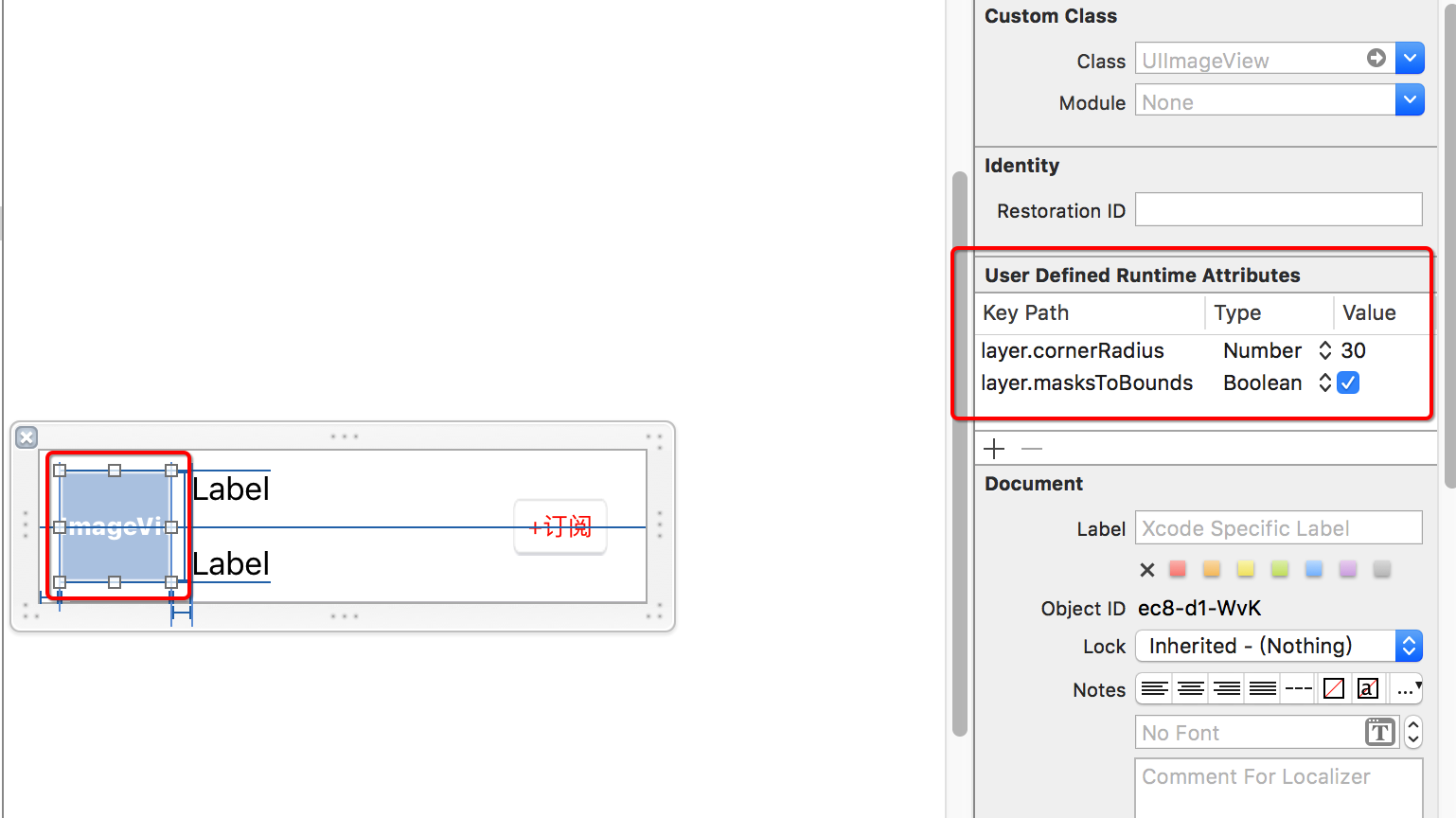
方法三:通过裁剪方式设置圆角:
// SDWebImage框架下载图片
[_iconView sd_setImageWithURL:[NSURL URLWithString:item.image_list] placeholderImage:[UIImage
    imageNamed:@"defaultUserIcon"] options:(SDWebImageCacheMemoryOnly)
    completed:^(UIImage * _Nullable image, NSError * _Nullable error,
    SDImageCacheType cacheType, NSURL * _Nullable imageURL) {

// 图片下载完成后在这里可以设置圆角图片(使用裁剪方式)

// 1 开启图片上下文 (参数1:开启上下文的大小,参数2:是否透明,参数3:0为自适应

UIGraphicsBeginImageContextWithOptions(image.size, NO, 0);

// 2 描述裁剪区域

UIBezierPath *path = [UIBezierPath bezierPathWithOvalInRect:CGRectMake(0, 0, image.size.width, image.size.height)];

// 3 设置裁剪区域

[path addClip];

// 4 画图片

[image drawAtPoint:CGPointZero];

// 5 取出图片

image = UIGraphicsGetImageFromCurrentImageContext();

// 6 关闭上下文

UIGraphicsEndImageContext();

// 7 设置图片

_iconView.image = image;